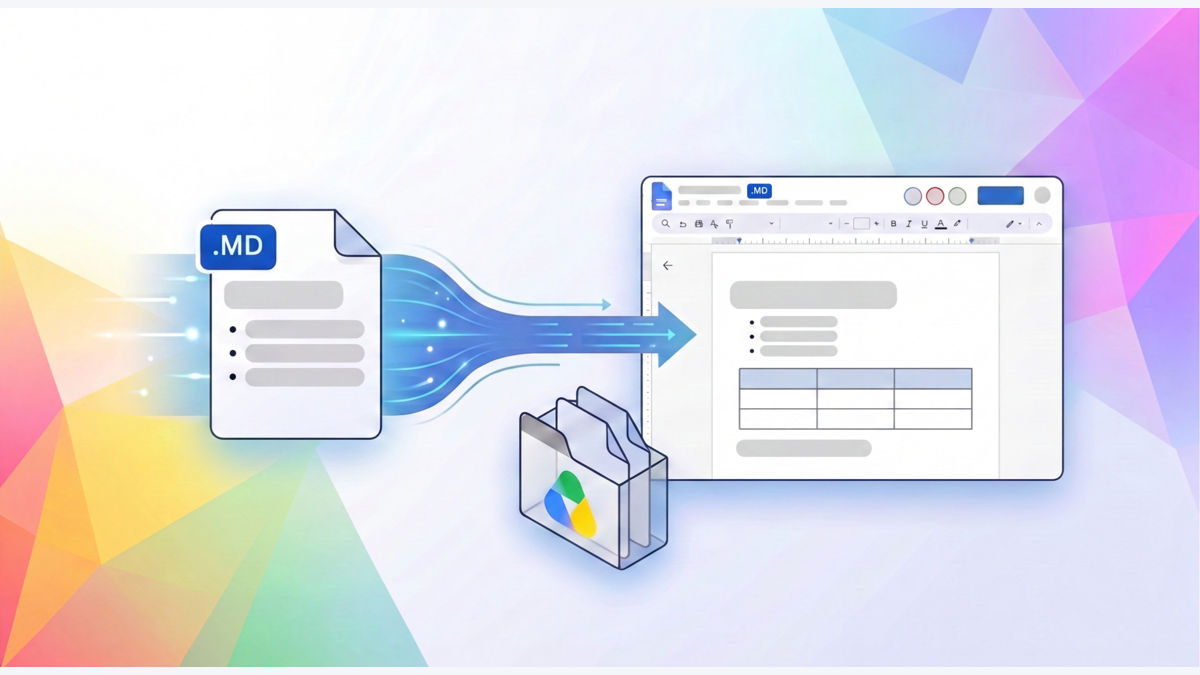












Upload a Markdown file to Google Drive, and then open it with Google Docs. A “. md” marker will appear in the document title area. This serves as a reminder to the editor that the file in their hands is still of the Markdown type. On October 26th, Google announced that Docs and Drive now support native viewing, editing, and collaboration of such files, allowing users to make changes within a familiar document interface while preserving the file format.
The scenario that this update is aimed at is very specific. Developers and agents are accustomed to outputting Markdown, while products, operations, and other participants often comment on it in online documentation. When files are converted back and forth, the same explanation can easily be divided into a version suitable for code tools and a version suitable for human reading. This time, Google has integrated the collaboration interface into the native files, attempting to bring these two ways of working around the same object.
Preserving files is more crucial than adding an import button.
Markdown uses text to represent titles, tables, and lists, which Google describes as a common language that is easy for both humans and AI tools to read. Officials mentioned that the usage of Markdown files in Drive has increased significantly year-on-year, but no specific growth rate was provided in this announcement. The focus of this product update is to allow users to edit files directly, without the need to convert them into another document format first.
File integrity is fundamental to this approach. A documentation file that needs to be further handed over to development tools or the Git repository maintains its original file format even after collaboration in Docs. For engineering teams, this allows for online review to be integrated with existing documentation processes; for non-engineering colleagues, they can use familiar comment entry points without having to first understand how to operate the code repository.
The most easily overlooked change here is the relocation of the review process. In the past, teams might send the rendering results of Markdown to others for review and then manually incorporate the feedback back into the original file. Now, Google provides line-by-line comments and suggestions, allowing feedback to be directly added to the document that is being co-edited. A description issue pointed out by the product manager can now be placed on the same collaborative chain as the content that developers or agents are modifying.
This also makes the purpose of the document more coherent. Drafting, reading, commenting, and revising do not have to rely on separate format conversion steps. Having a consistent file format does not automatically resolve differences in team opinions, but it can reduce the need for additional confirmations such as "which version is being discussed." For technical documents that require multiple people to make repeated adjustments, version branching itself can be a source of distraction.
Historical records begin to incorporate both human modifications and machine alterations.
Another capability listed in the announcement is a complete version history. Google explicitly includes revisions made by human contributors as well as those by the AI intelligence entity in this record. When discussing collaboration with AI, people tend to first look at how much content can be written; however, what the version history is concerned about is how the content has changed over time and how participants can review these changes.
The same document allows multiple people and agents to edit it together, so the organization needs a common point for verification. Historical records provide a traceable path for revisions, while line-by-line comments offer a concrete basis for opinions. Together, these elements enable the approach of "letting AI draft first, then have others review" to shift from being a file-based process to collaborative work around the same object. This benefit comes from the seamless integration of workflows and cannot be directly translated into efficiency figures that are not disclosed in announcements.
The reading experience also changes accordingly. Drive allows for direct preview of formatted Markdown, supporting tables and hyperlinks, and also enables switching back to the original text. Reviewers can first view the formatted content and then focus on the textual expression if there are any formatting issues. For descriptions that contain structured information, these two perspectives serve different purposes: one checks whether the meaning is clear, while the other verifies what is actually saved in the file.
It has different delivery responsibilities compared to preview tools that only display rendered pages. Previewing focuses on opening and reading, while Docs collaboration also involves making modifications, providing suggestions, and managing history. Google has placed these capabilities within the same product interface, which is also a way of incorporating the daily work of technical documentation. The text, which was previously confined to development tools, now includes a window that allows business colleagues to participate.
The scope of access is relatively straightforward. According to the announcement, users with accounts Google or Workspace can start using it by uploading files md. The starting point for teams to integrate this capability is to have existing files and accounts. As for how enterprises should arrange access rights and how to incorporate collaboration results into formal deliveries, they still need to follow their respective organizational processes; this official announcement does not announce any new automatic synchronization capabilities for repositories.
Therefore, what is most worth distinguishing between is file continuity and process automation. Maintaining the md type allows files to continue to serve development tools, but it does not equate to making online modifications that have automatically become part of a repository's commits. By redefining this boundary in terms of specific actions, teams can more easily determine where to review, when to confirm, and who should submit the final content back into the engineering process.
The small icons on the title bar have changed the meaning of Google Docs' entry point. It no longer only handles traditional online documents but also includes text that is commonly processed by intelligent agents and coding tools. Engineering teams can continue to use native files, while business colleagues get a familiar commenting interface. Google has extended its collaborative capabilities to content types that were previously more geared towards developers.